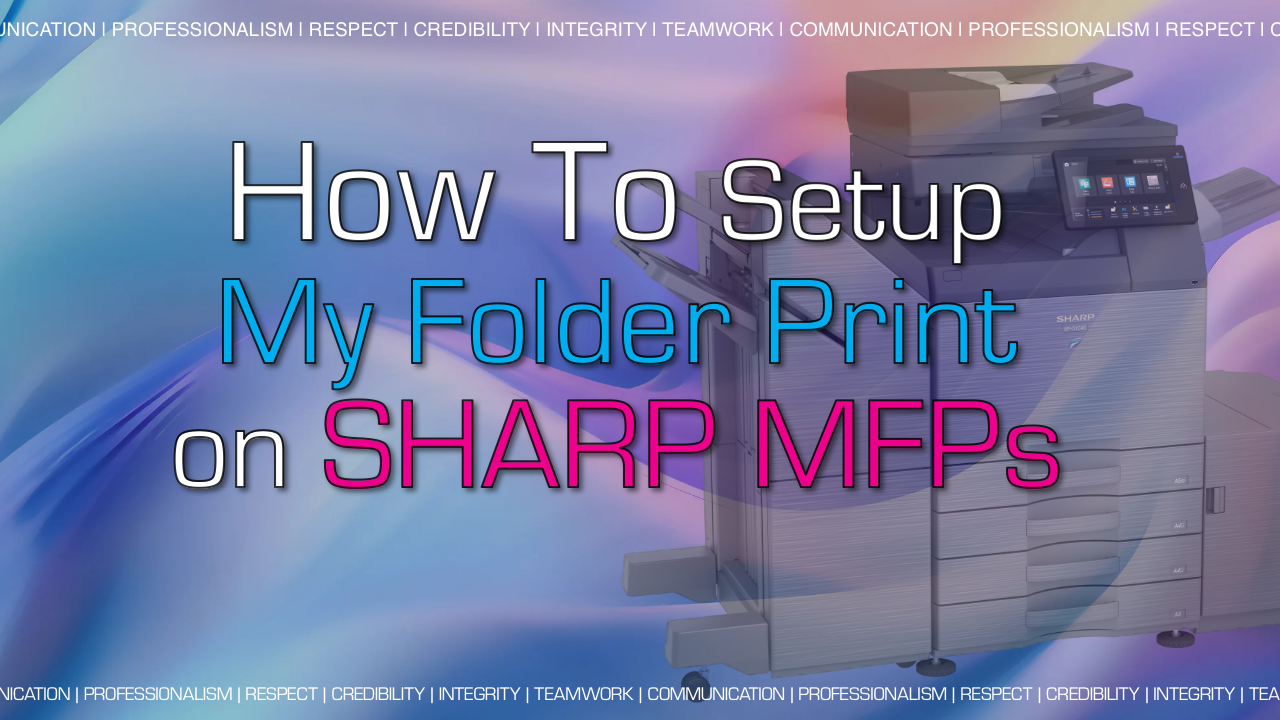
Sharp has added a new feature called My Folder Print to their latest series of copier, with model numbers that have a 51 or 71 in the number. It allows the Sharp copier to store print jobs sent to the machine in a place that is simple to retrieve and release. The Sharp My Folder feature will cut down on waste by requiring users to release their jobs at the touch-screen rather than printing them and letting them sit on the output until they go get the print, or not! It does not work in conjunction with User Control, it is a separate feature.
Why Setup Sharp My Folder Print?
- Cut down on printing waste – printing consumables and paper
- No print driver settings required
- Confidential documents can be protected and released on-demand
- Simple setup, no user codes or passwords required
- Folders can be password-protected if the user chooses
How To Set it Up
Enable My Folder Print
- Open the Sharp MFPs webpage by typing the IP address into a web browser. Your IP address can be viewed if you tap the “System Info” button on the home screen
- Login as administrator. The default password is admin
- Click the System Settings tab
- Click Printer Settings
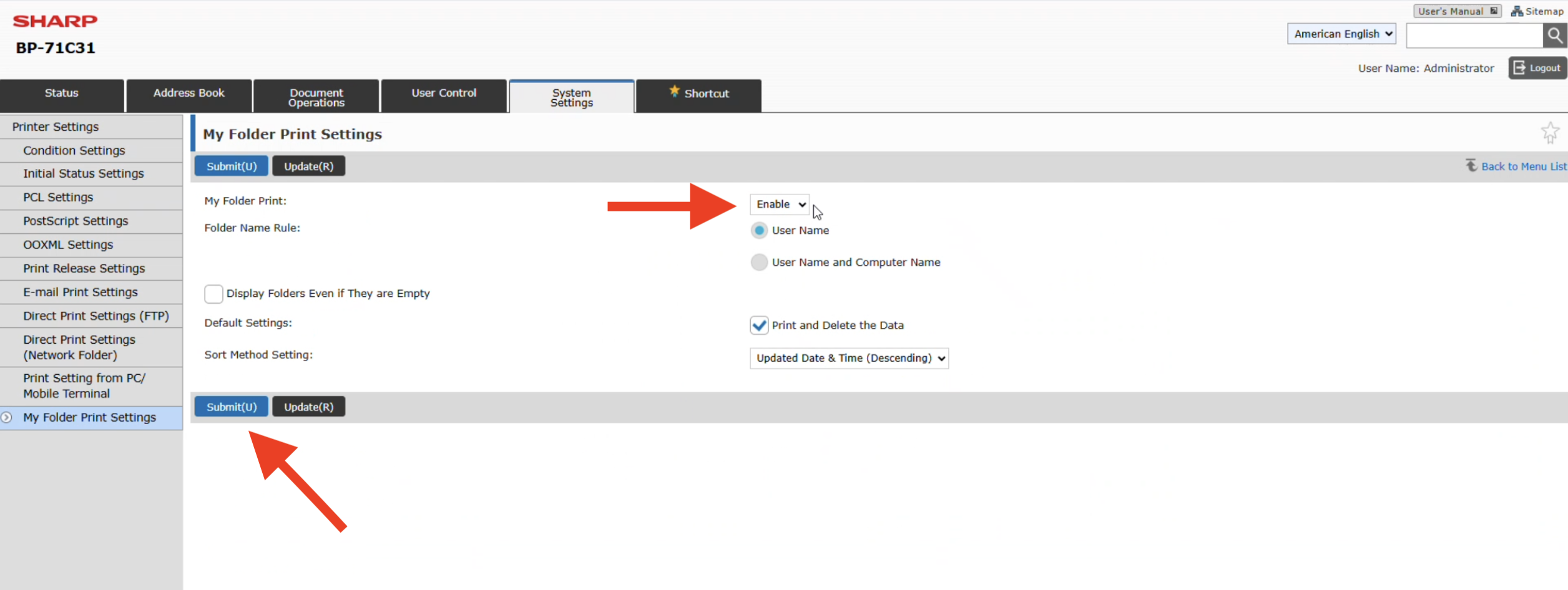
- Click My Folder Print Settings
- Enable the setting, choose your preferences and then click Submit.

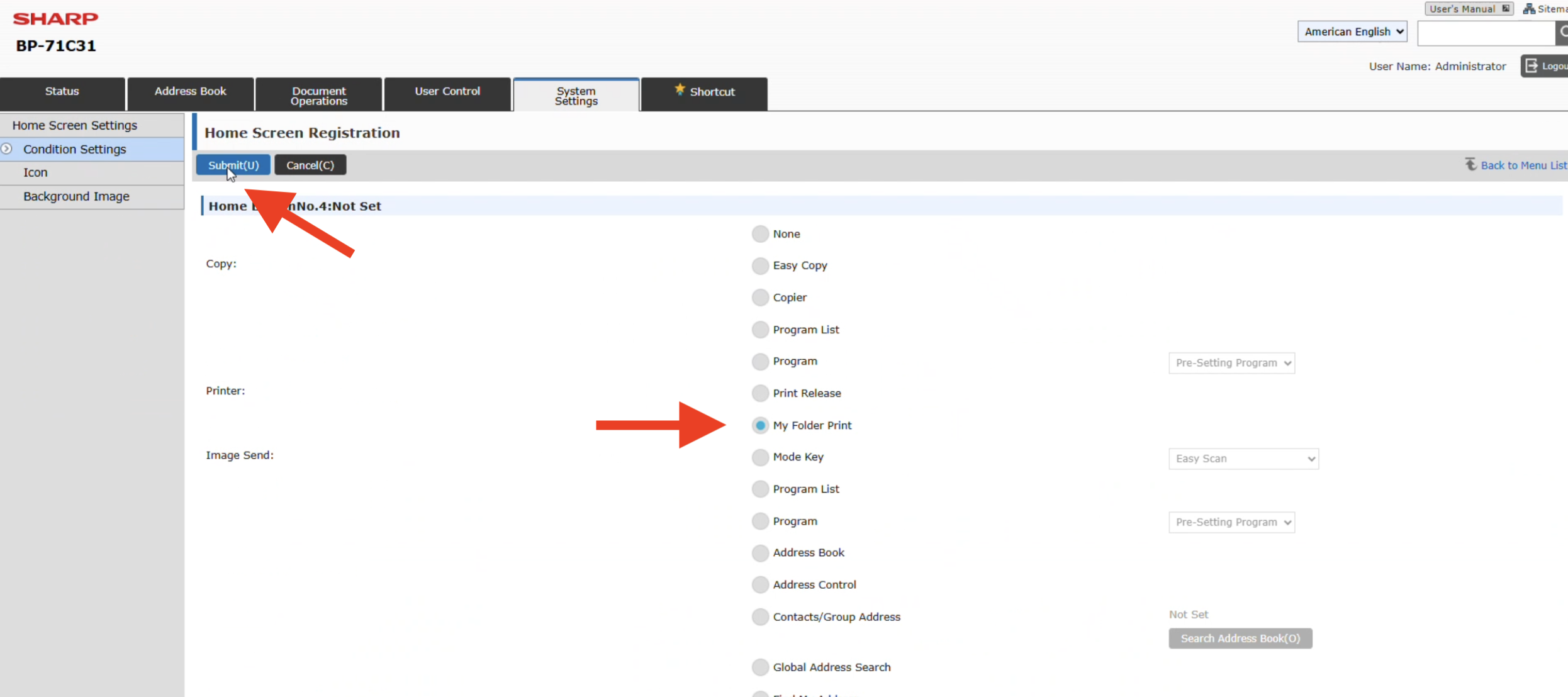
Add the My Folder Print button to the MFP Home Screen
- Click the System Settings tab
- Click the Home Screen Settings button
- Click on the preferred button hyperlink, we recommend the 4th slot
- Tick the My Folder Print bullet (NOT the My Folder bullet)
- Click Submit

Retrieving your prints at the Sharp MFP
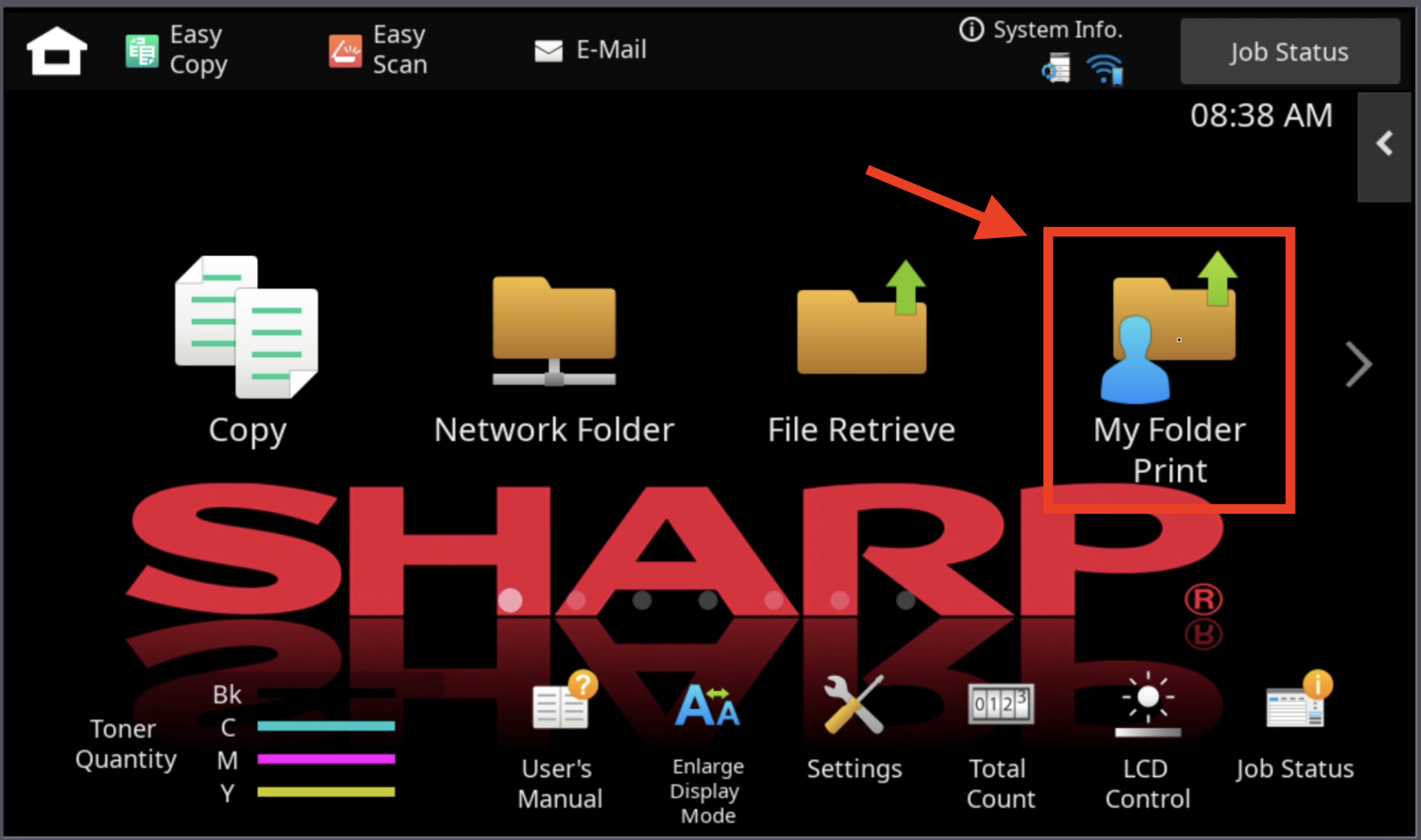
- Tap the newly created My Folder Print button on the Home Screen
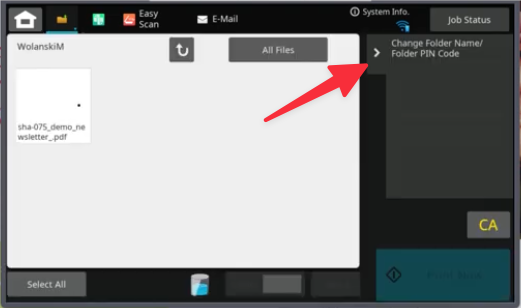
- Locate your folder which is created by your User Name or your User Name + Computer Name that you chose in your preferences, tap it.
- In the right menu you change the folder name and/or assign a PIN to your folder if you wish

- In the right menu you change the folder name and/or assign a PIN to your folder if you wish
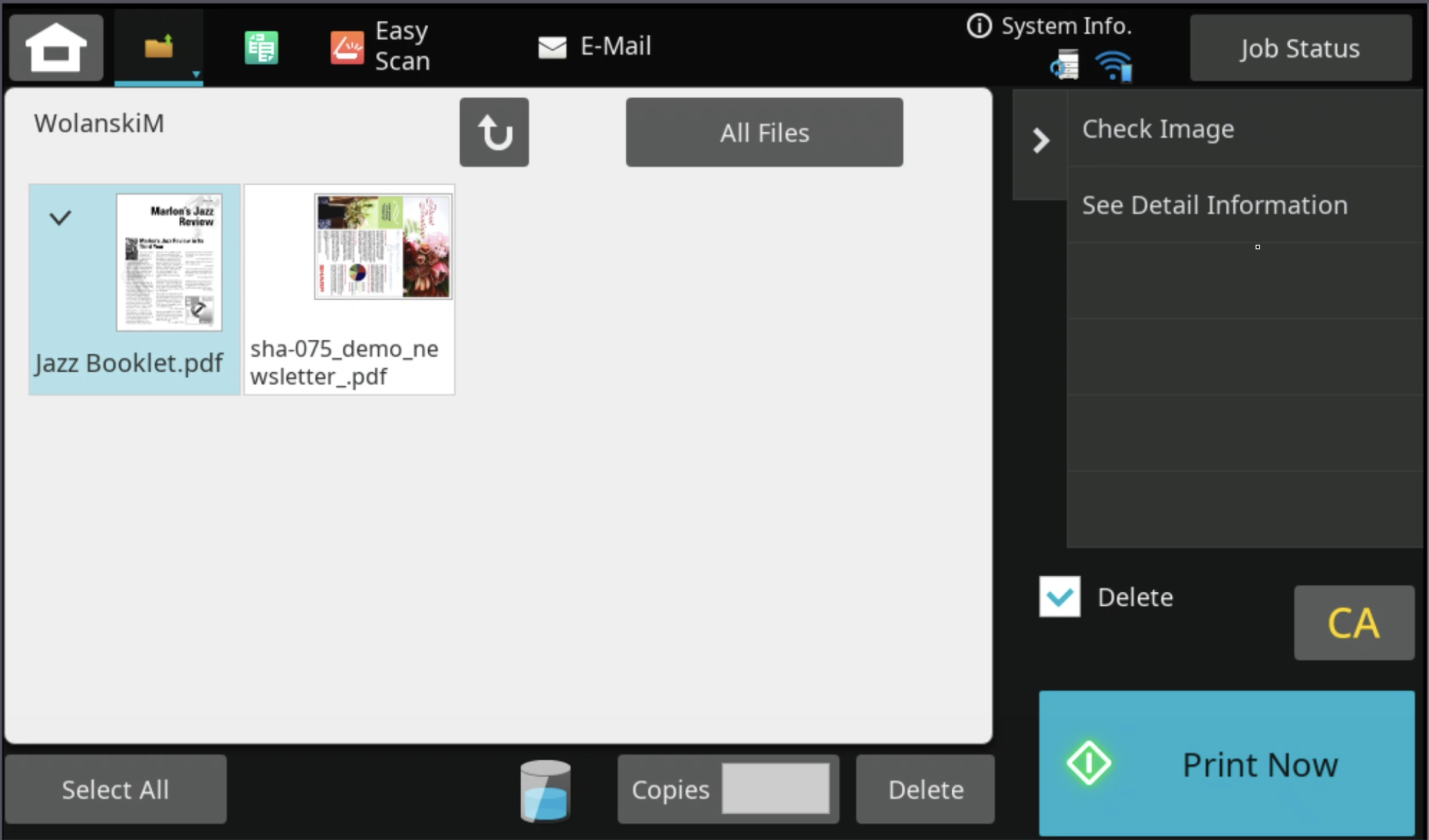
- Select your job(s) and then tap Print Now. Note: If you want the file to be removed after printing, ensure the Delete box is checked.


Sharp User Guide for My Folder Print
To view more details, see pages 4-114 through 4-117 in the Sharp User Guide.
How To Video
As a copier leasing provider in Houston, Platinum Copier Solutions helps businesses simplify this process by guiding them through equipment selection, flexible leasing options, and ongoing service support. The focus is on delivering reliable office solutions that keep your business productive and your print environment running smoothly.
If you’re ready to lease a copier for your business, request a quote today to compare options and find the right solution for your needs.

Collin has been in the office technology space for over 20 years. Taking the journey from warehouse helper, to delivery driver, to IT consultant, to sales – he has run the full spectrum of the industry and retained all of the knowledge along the way to tackle any task.