Office copiers have evolved into powerful, multifunctional tools that can significantly shape how efficiently a business operates. If your office is dealing with slow document workflows, outdated equipment could be holding you back. Modern copiers now go far beyond simple printing, offering scanning, cloud connectivity, security features, and high-speed performance all in one device. The right machine can streamline daily tasks, reduce downtime, and improve overall productivity across your team. The key is choosing a copier that matches your workflow, not just your budget or brand preference.
Key Takeaways
- Understanding office needs is essential before choosing a copier
- Print speed and monthly volume directly impact daily productivity
- Multi-function copiers reduce equipment needs and streamline workflows
- Strong paper handling improves efficiency and document flexibility
- User-friendly interfaces reduce training time and improve adoption
Understanding Your Office Needs for the Right Business Copier
Before selecting a copier, it’s important to match the equipment to how your office actually works. Smaller teams may only need basic printing and copying, while larger offices often require higher-capacity machines with more advanced features. Daily print volume is one of the biggest factors in determining the right fit.
You should also think about the types of tasks your team handles. If scanning, emailing, or faxing are common, a multifunction copier will save time and space. Budget also plays a role, not just for the machine itself, but for long-term costs like toner, maintenance, and repairs.
Evaluating Print Speed and Volume for Productivity
Print speed and volume capacity directly affect how smoothly your office runs. A faster copier reduces wait times, while a higher monthly volume rating helps prevent breakdowns and delays during busy periods.
| Feature | Why It Matters | Business Impact |
| Print Speed (PPM) | Determines how quickly documents are produced | Reduces wait time and improves workflow efficiency |
| Monthly Duty Cycle | Maximum pages a copier can handle per month | Prevents overload and equipment failure |
| First Page Out Time | How fast the first page prints | Improves responsiveness for urgent tasks |
| Paper Capacity | Number of sheets loaded at once | Reduces interruptions for refilling paper |
Exploring Multi-Functionality: More Than Just Printing
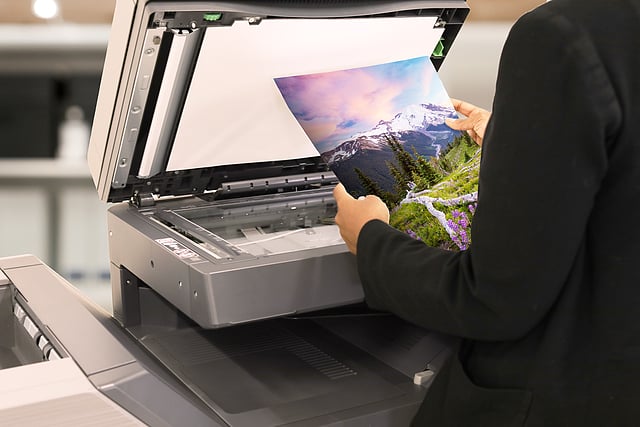
Modern copiers often combine printing, scanning, faxing, and cloud integration into one system. This reduces the need for multiple machines and simplifies daily office workflows. Multi-function devices help businesses operate more efficiently by consolidating tasks into a single platform:
- Print, scan, copy, and fax in one device
- Cloud connectivity for remote access and sharing
- Email integration for fast document distribution
- Space-saving design replaces multiple office machines
- Supports hybrid and remote work environments
Analyzing Paper Handling Capabilities in Office Copiers
Paper handling plays a major role in how efficiently a copier performs in a busy office. Higher paper capacity means fewer interruptions, while flexible media support allows you to print on different paper types and sizes. Key features to look for include automatic duplex printing, which reduces paper usage, and finishing options like stapling or hole-punching that improve document presentation. A copier that supports multiple media types, such as envelopes or cardstock, adds even more flexibility.
Assessing User-Friendly Interfaces for Enhanced Productivity
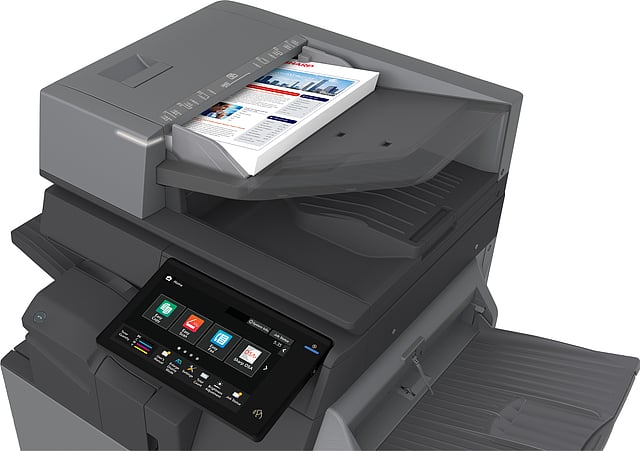
A copier should be easy for everyone on your team to use. A simple interface reduces training time and helps employees complete tasks faster without frustration. A user-friendly system improves day-to-day efficiency through:
- Intuitive touchscreen navigation for quick operation
- Custom shortcuts for frequently used tasks
- Built-in help menus for troubleshooting
- Easy-to-adjust print and scan settings
- Faster onboarding for new employees
Why Choose Platinum Copier Solutions
Platinum Copier Solutions is a woman-owned provider of copiers, printers, and managed print solutions serving businesses nationwide. With over 60 years of combined experience, the focus is on improving workflow efficiency and simplifying office technology. Backed by certified technicians, AAA+ BBB rating, and 130+ five-star reviews, the company is committed to reliable service and long-term support.
Businesses can choose from trusted brands like Sharp, HP, and RICOH with flexible leasing, financing, rental, and purchase options to fit different needs. With expert technicians, on-site and remote support, and ongoing maintenance, Platinum delivers dependable solutions designed to reduce downtime and keep offices running efficiently.

Business Copier Features FAQ
What features should I look for in a business copier?
When selecting a business copier, focus on essential features like print quality, speed, and paper capacity. Look for connectivity options such as Wi-Fi and mobile printing, which provide flexibility. Consider advanced security features to protect sensitive documents. Cost-efficiency is crucial, so evaluate energy-saving modes and affordable toner options. If you need more than just copying, opt for a multifunction device that includes scanning, faxing, and emailing capabilities. Lastly, ensure the copier is user-friendly, with an intuitive interface and easy maintenance.
How do I choose the right copier based on my print volume?
To choose the right copier for your print volume, first assess your average monthly print needs. For small offices with low print volume, a basic model should suffice. Medium-sized businesses benefit from copiers that handle moderate volumes with faster speeds and larger paper trays. High-volume environments require robust machines designed for heavy-duty use, offering higher paper capacities and fast printing speeds. Always check the recommended monthly page volume for any model to ensure it aligns with your needs, minimizing wear and maximizing performance.
What is the difference between a multifunction printer and a standard copier?
A standard copier primarily makes copies of documents, focusing on print quality and speed. In contrast, a multifunction printer (MFP) is a versatile device that combines printing, scanning, copying, and often faxing capabilities. MFPs are ideal for businesses that need a range of functionalities in one machine, saving space and reducing equipment costs. They often come with advanced connectivity options, allowing printing from mobile devices or cloud services. While standard copiers are best for straightforward tasks, MFPs enhance productivity with their all-in-one design.
Which copier features improve workflow efficiency the most?
To boost workflow efficiency, look for copiers with fast print speeds and high paper capacities, reducing downtime for paper refills. Automatic duplexing saves time and paper by printing on both sides. Advanced connectivity options like wireless and mobile printing facilitate seamless document handling. An intuitive touchscreen interface speeds up operations, while customizable user settings streamline frequent tasks. Security features protect sensitive information, ensuring smooth, worry-free processes. Finally, reliable service and support minimize disruptions, keeping your business running smoothly.
How important is print speed when selecting a business copier?
Print speed is crucial, especially in fast-paced business environments where time is money. A copier with high print speed can significantly enhance productivity by completing tasks quickly, reducing wait times. For small offices with minimal printing needs, speed may be less critical. However, for larger teams or high-volume demands, faster copiers prevent bottlenecks and keep operations flowing smoothly. Always consider your specific needs and balance speed with other important features like print quality and cost-efficiency to make the best choice for your business.
Choosing the Right Business Copier Features
Selecting a business copier is about more than comparing models. It is about matching features like print speed, volume capacity, multifunction tools, paper handling, and ease of use to how your office actually works. The right choice supports both daily demands and future growth while keeping operations simple and cost-effective.
As a Houston-area provider of copiers, printers, and managed print solutions, we help businesses find the right equipment for their workflow and provide ongoing support to keep everything running smoothly and efficiently.
If you’re evaluating copier options for your business, request a quote today to compare solutions and find the right fit for your workflow and budget.

Kimberly Gonzalez founded Platinum Copier Solutions in 2007 after building her career in the copier and office equipment industry, which began at just 19 years old, selling Xerox copiers. Her early hands-on experience sparked a lifelong passion for document systems and office technology, ultimately inspiring her to launch her own company. As the 100 percent owner, Kimberly continues to lead Platinum Copier Solutions with a clear vision and commitment to quality.