A copier that suddenly stops working can disrupt your workflow, delay important documents, and cost your business valuable time. Regular copier maintenance can help prevent common problems, improve equipment performance, and extend the life of your office copier. From routine cleaning to professional service, a few simple maintenance practices can make a significant difference in keeping your equipment reliable. In this guide, we’ll cover practical copier maintenance tips that can help Houston businesses reduce downtime and keep their offices running efficiently.
Key Takeaways
- Regular maintenance can reduce copier repairs and unexpected downtime
- Warning signs can indicate when a copier needs professional service
- Preventive maintenance can extend copier performance and equipment life
- Frequent repairs and rising costs may signal that it’s time to upgrade
- Reliable copier service can support consistent business operations
Importance of Regular Copier Maintenance for Businesses
Taking care of your office copier might not be the most glamorous task, but it’s a critical one. Regular maintenance ensures your copier operates efficiently and extends its lifespan, which ultimately saves your business money. By sticking to a routine upkeep schedule, you avoid the hefty costs of emergency repairs and reduce disruptions in your workflow. A well-maintained copier means fewer breakdowns and more productivity.
Regular maintenance is your secret weapon for keeping the copier running at its best. Imagine it as a health check-up for your machine. By addressing minor issues before they escalate, you dodge the bullet of costly repairs. This proactive approach means fewer disruptions and smoother operations, ensuring your office equipment remains reliable and efficient.
Copier maintenance isn’t just about fixing problems as they arise; it’s about preventing them in the first place. Routine checks and preventive care can catch potential issues early on. This foresight increases the equipment’s lifespan and boosts your office productivity. Less downtime means more print services handled without a hitch, leading to better business efficiency.
Think of regular service as an investment in your business’s success. It reduces operational costs by minimizing unexpected repairs and replacements. By maintaining your copier, you ensure business continuity and avoid the sudden halt that a malfunctioning machine can cause. It’s like having an insurance policy for your office productivity.
Signs Your Copier Needs Professional Repair Services
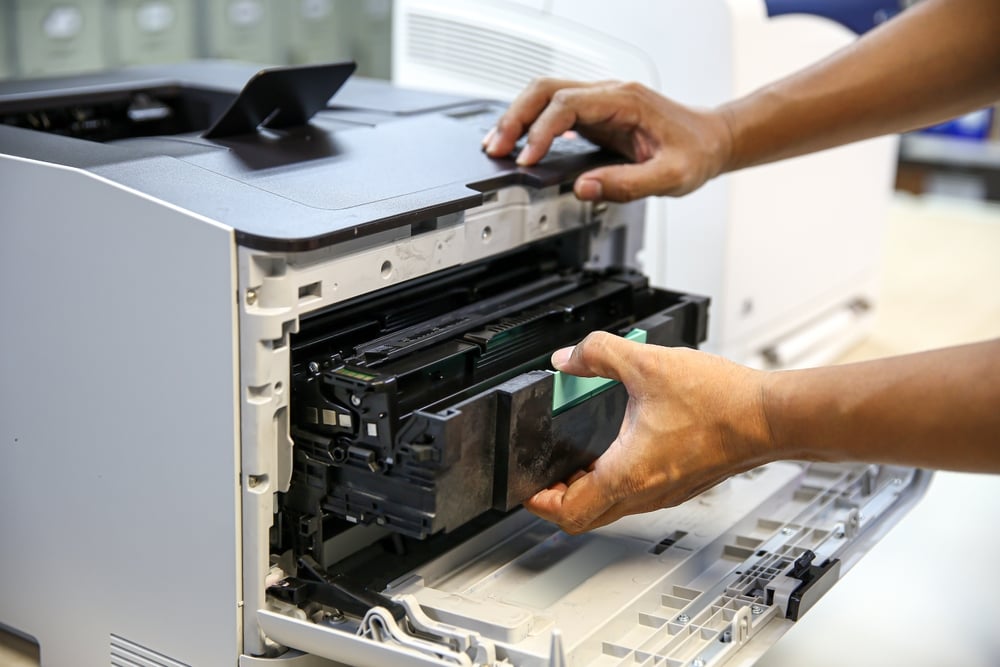
Some copier problems can be resolved with basic troubleshooting, while others indicate a deeper equipment issue. Frequent problems, unusual sounds, and declining performance can signal that your copier needs professional attention. Addressing these warning signs early can help prevent more serious damage and reduce unexpected downtime.
| Warning Sign | What It May Indicate | Recommended Action |
| Frequent paper jams | Worn rollers, feeding problems, or internal component issues | Have the copier inspected if jams continue after basic troubleshooting |
| Unusual noises | Worn or damaged mechanical components | Stop using the copier if the noise is severe and request professional service |
| Poor print quality | Internal component problems, toner issues, or other equipment wear | Check toner first, then schedule service if quality does not improve |
| Recurring error messages | Hardware, software, or maintenance-related problems | Refer to the error code and contact a technician if the issue persists |
| Frequent downtime | Recurring equipment failures or aging components | Consider professional repair and evaluate whether replacement is more cost-effective |
| Complete equipment failure | A potentially serious mechanical or electrical issue | Request professional service to diagnose and resolve the problem |
Enhancing Copier Longevity with Preventive Maintenance
Preventive maintenance helps keep your copier reliable while extending its useful life. Routine care can reduce wear and tear, improve performance, and catch potential problems before they lead to unexpected downtime. Combining simple daily care with professional maintenance can also help reduce the need for costly repairs. Key preventive maintenance practices include:
- Clean the copier regularly: Remove dust and debris from the glass, rollers, and other accessible areas to help maintain performance and print quality.
- Monitor supplies and usage: Keep track of toner, paper, and copier usage so you can address low supplies or changes in performance before they cause problems.
- Follow manufacturer guidelines: Use recommended supplies and follow the manufacturer’s maintenance instructions for your specific copier model.
- Inspect for early warning signs: Watch for recurring paper jams, slower performance, unusual noises, or other changes that may indicate a developing problem.
- Schedule professional maintenance: Regular service from a qualified technician can identify issues that may not be obvious during routine office checks and help prevent unexpected breakdowns.
When to Upgrade Your Copier Equipment
Even with regular maintenance, an older copier may eventually become more expensive to repair than replace. Frequent breakdowns, rising maintenance costs, slow performance, and outdated features can all indicate that it’s time to consider newer equipment. Upgrading can provide better reliability, productivity, security, and energy efficiency.
Before making a decision, compare your current copier’s repair costs, performance, and features with newer models. Consider what your employees need most and whether your current equipment can keep up with your business. Newer copiers can offer faster speeds, improved print quality, advanced security, and features that support more efficient workflows.
Copier leasing is another option for businesses that want updated equipment without the upfront cost of purchasing a machine. Leasing can provide greater flexibility for growing businesses and make it easier to keep up with changing technology. Comparing leasing and purchasing options can help you determine which approach best fits your business needs.
How to Contact Reliable Copier Service Providers in Houston
Choosing the right copier service provider can help keep your equipment reliable and reduce unexpected downtime. Look for a provider with strong reviews, responsive customer service, and experience with your copier’s brand and model. Service agreements and ongoing maintenance options can also provide added support when your business needs it.
When comparing providers, consider their available services, response times, and experience with businesses like yours. A provider that offers both routine maintenance and professional repairs can give you a more consistent approach to copier care.
Copier Services From Platinum Copier Solutions
At Platinum Copier Solutions, we help Houston-area businesses manage their copier and printing needs with reliable equipment and ongoing support. We offer Sharp, HP, and RICOH solutions, along with managed print services, copier leasing, maintenance, and repair services. Our team works with businesses to find solutions that fit their equipment needs, workflow, and budget. Whether you need routine copier maintenance, professional repair, or new equipment, we can help you evaluate your options and keep your office technology running efficiently.
Copier Maintenance Frequently Asked Questions
How often should an office copier be serviced?
The recommended service schedule depends on the copier model, print volume, and how frequently the equipment is used. Regular professional maintenance can help identify wear and potential problems before they cause unexpected downtime.
What routine maintenance can employees perform?
Employees can handle simple tasks such as cleaning the copier glass, keeping the exterior and accessible areas free of dust, checking paper supplies, and monitoring toner levels. More complex maintenance should be left to a qualified technician.
Can regular maintenance extend the life of a copier?
Yes. Routine cleaning, timely replacement of worn components, and professional inspections can reduce unnecessary wear and help a copier operate reliably for a longer period.
Does copier maintenance include software updates?
Depending on the service agreement and copier model, maintenance may include checking or installing firmware and software updates. Keeping equipment updated can support performance, security, and compatibility with other office technology.
Is copier maintenance included with a copier lease?
Maintenance and service terms vary by lease agreement and provider. Businesses should review the agreement to understand what repairs, supplies, service calls, and other support are included.
Successful Office Copier Maintenance
Proper copier maintenance goes beyond fixing problems when they occur. Regular cleaning, preventive maintenance, professional repairs, and timely equipment upgrades can help businesses reduce downtime, extend copier life, and maintain consistent performance. By taking a proactive approach to copier care, businesses can avoid unnecessary disruptions and create a more reliable office environment.
As an office equipment provider in Houston, we help businesses maintain reliable print environments through quality equipment, copier leasing, managed print services, and ongoing support. From Sharp, HP, and RICOH technology to professional maintenance and repair services, our team helps organizations find solutions that fit their equipment needs, workflow, and budget.
If you’re ready to improve your office’s copier performance and reduce unexpected downtime, request a quote today to learn how we can help you maintain reliable equipment and create a more efficient print environment.

Kimberly Gonzalez founded Platinum Copier Solutions in 2007 after building her career in the copier and office equipment industry, which began at just 19 years old, selling Xerox copiers. Her early hands-on experience sparked a lifelong passion for document systems and office technology, ultimately inspiring her to launch her own company. As the 100 percent owner, Kimberly continues to lead Platinum Copier Solutions with a clear vision and commitment to quality.