
When a business copier stops working, even a simple printing or scanning task can bring office productivity to a standstill. Learning the basics of business copier troubleshooting can help you identify common issues, minimize downtime, and determine when professional service is needed. Whether you manage an office, support IT operations, or run a small business, knowing how to respond to copier problems can save valuable time and prevent minor issues from becoming costly disruptions. In this guide, we’ll cover practical troubleshooting and maintenance tips to help keep your business copier running reliably.
Key Takeaways
- Paper jams can result from overloaded trays, misaligned guides, worn rollers, or damp paper
- Connectivity, toner, error codes, and overheating are common copier issues
- Regular cleaning, software updates, and professional maintenance support reliable performance
- Modern copiers offer faster speeds, stronger security, and improved workflow features
- Frequent repairs may indicate that copier replacement or leasing is more practical
Understanding Common Copier Problems in the Office
Office copiers are essential for everyday business operations, but common problems can quickly interrupt productivity. Knowing what causes these issues can help you troubleshoot them before they lead to extended downtime. Some problems are simple to resolve, while others may require professional service. Common business copier problems include:
- Paper jams: Incorrectly loaded paper or incompatible paper types can cause frequent jams. Check the paper tray and use paper recommended for your copier.
- Connectivity issues: Network problems, outdated software, or incorrect settings can prevent employees from sending print jobs. Check the copier’s network connection and make sure its software is current.
- Poor print quality: Streaks, faded areas, or uneven prints may be caused by low toner or an improperly installed cartridge. Check the toner level and cartridge placement first.
- Error codes: Error messages can point to problems with the copier’s hardware, software, or supplies. Check the user manual or manufacturer’s support resources for troubleshooting instructions.
- Slow copying speeds: Large documents and high-resolution settings can slow down copying. Adjusting the settings when high resolution isn’t necessary may help improve performance.
Why Does My Copier Keep Jamming? Solutions for Common Problems
Paper jams are among the most common copier problems and can quickly interrupt your workflow. While an occasional jam is normal, frequent jams may point to an issue with the paper, copier settings, or internal components. Checking a few common causes can help you resolve the problem and prevent it from happening again. Here are some common causes of paper jams and what you can do about them:
- Overloaded paper trays: Filling the tray beyond its recommended capacity can prevent paper from feeding properly. Keep the tray within the manufacturer’s stated limit.
- Incorrect paper size: Make sure the paper size in your copier settings matches the paper loaded in the tray. Using the wrong setting can cause feeding problems.
- Worn rollers: Rollers can become worn over time and may struggle to pull paper through the machine. If jams continue after checking the paper and settings, the rollers may need to be inspected or replaced.
- Misaligned paper guides: Paper guides that are too loose or too tight can cause sheets to feed unevenly. Adjust the guides so they fit securely against the paper without pressing too tightly.
- Moisture in the paper: Humidity can cause paper to stick together and increase the chance of jams. Store paper in a cool, dry location and keep it sealed when possible.
Identifying Common Printer Issues and How to Resolve Them
Printers and copiers can develop a range of issues that interrupt everyday office tasks. Many common problems have simple causes, so checking basic connections, supplies, and settings should be the first step in troubleshooting. If an issue continues after these checks, professional service may be needed.
| Common Issue | Possible Cause | What to Check or Do |
| Connectivity problems | Network connection issues, loose cables, or incorrect network settings | Check network cables and confirm the printer or copier is connected to the correct network |
| Faded or poor-quality prints | Low toner or an aging toner cartridge | Check the toner level and replace the cartridge if needed |
| Error codes | Hardware, software, or maintenance-related problems | Refer to the copier’s manual for the meaning of the code and recommended troubleshooting steps |
| Blank pages | Empty toner, incorrect settings, or improperly installed cartridges | Check the toner level, review print settings, and make sure the cartridge is installed correctly |
| Overheating | Blocked ventilation or limited airflow around the machine | Keep vents clear and provide adequate space around the copier for proper airflow |
Maintaining Your Office Copier for Optimal Performance
Regular maintenance helps keep your office copier reliable, efficient, and ready when your team needs it. Simple tasks, such as cleaning the glass and rollers, can help prevent dust and debris from affecting print quality. It is also important to schedule professional maintenance so potential problems can be identified before they lead to costly repairs or unexpected downtime.
Keeping your copier’s software and firmware updated can improve performance while providing important security updates. Properly training employees on how to operate the copier can also reduce errors, misuse, and unnecessary wear on the machine. Finally, monitor paper and toner levels regularly and restock supplies before they run out to help keep daily printing and copying tasks running without interruption.
Enhancing Business Efficiency With New and Improved Equipment
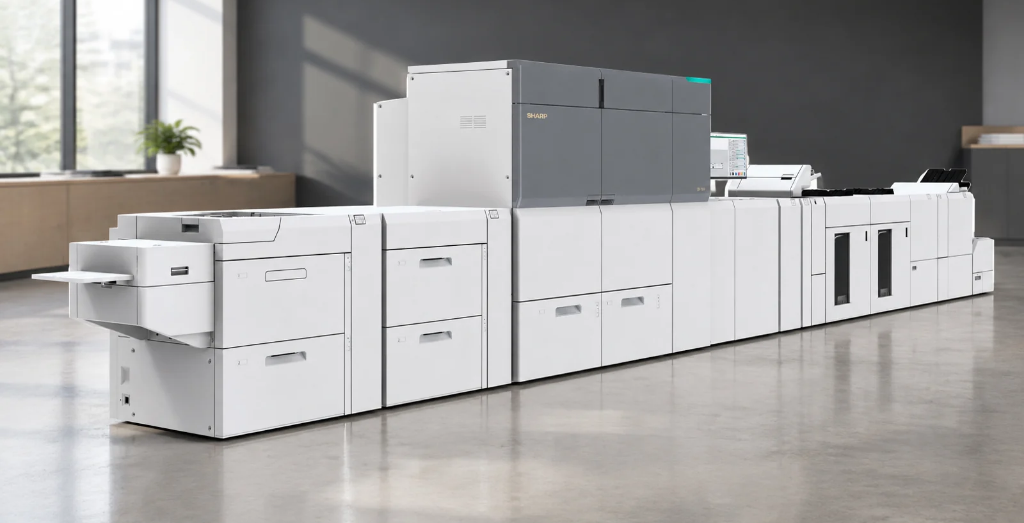
Upgrading your office copier can improve efficiency, reduce downtime, and give your team access to features that older equipment may not offer. Modern business copiers from manufacturers such as Sharp, HP, and Ricoh are designed to support more than basic printing and copying, with features that improve document management, security, and workflow. If your current equipment is slow, outdated, or frequently requires repairs, upgrading may be worth considering.
Many newer models offer cloud connectivity, making it easier to access, share, and store documents from different devices. Energy-efficient options can help reduce electricity use, while advanced security features help protect sensitive business information. Faster print speeds and intuitive interfaces can also reduce wait times and make equipment easier for employees to use.
When choosing new equipment, consider the features that best match your business’s needs and workflow. Sharp, HP, and Ricoh each offer a range of business printing and copying solutions, so the right choice will depend on factors such as print volume, required features, security needs, and budget. Working with an experienced copier provider can help you compare your options and select equipment that supports your business now and as it grows.
Finding the Right Equipment With Platinum Copier Solutions
At Platinum Copier Solutions, we help businesses evaluate their current printing and copying needs and determine when new equipment makes sense. We offer solutions from Sharp, HP, and Ricoh, giving businesses options based on factors such as print volume, workflow, security, and budget. Our goal is to help you find reliable equipment that supports your team’s day-to-day operations while providing the features your business actually needs.
For businesses that want ongoing support, our managed print services can help simplify equipment, supplies, maintenance, and printing costs. We also offer copier leasing options, making it easier for businesses to access current equipment without the upfront expense of purchasing a machine outright.

The Platinum Copier Solutions Team
Business Copier Troubleshooting Questions
How do I know if my copier needs professional service?
If basic troubleshooting does not resolve the problem, professional service may be necessary. Frequent error messages, unusual noises, recurring performance issues, or problems that affect multiple functions can indicate a deeper mechanical or electrical issue.
Why is my copier making unusual noises?
Grinding, clicking, squealing, or other unfamiliar sounds can indicate worn or damaged internal components. Continuing to operate the copier without addressing the issue could potentially lead to more extensive damage, so it is best to have persistent noises evaluated by a qualified technician.
Why won’t my copier scan documents?
Scanning problems can result from incorrect scan settings, software issues, or problems with the connection between the copier and your computer or network. Check the selected destination and scan settings first, then restart the copier and connected device if necessary.
How can I troubleshoot a copier that is not responding?
If the copier does not respond to commands, check the display for error messages and make sure the machine is powered on and ready. Restarting the copier can resolve temporary software issues, but persistent problems may require professional assistance.
When should I replace my business copier instead of repairing it?
Replacement may make more sense when a copier requires frequent repairs, has become unreliable, or no longer meets your business’s needs. Consider the machine’s age, repair costs, performance, and available features when deciding whether continued maintenance or new equipment is the better investment.
Business Copier Troubleshooting and Maintenance
Effective business copier troubleshooting can help businesses resolve common problems, reduce unnecessary downtime, and keep daily operations running smoothly. Regular maintenance is equally important for protecting equipment performance and extending its useful life. When an aging or unreliable copier continues to cause problems, upgrading to newer equipment can provide greater efficiency, security, and functionality.
As a business equipment supplier in Houston, we help businesses address copier and printing challenges with reliable equipment, copier leasing, managed print services, and ongoing support. From Sharp, HP, and RICOH technology to solutions designed around your organization’s specific needs, our team can help you find a more efficient and manageable approach to business printing.
If your business is spending too much time dealing with copier problems, request a quote today to learn how Platinum Copier Solutions can help you improve your print environment, reduce downtime, and get more from your office technology.

Kimberly Gonzalez founded Platinum Copier Solutions in 2007 after building her career in the copier and office equipment industry, which began at just 19 years old, selling Xerox copiers. Her early hands-on experience sparked a lifelong passion for document systems and office technology, ultimately inspiring her to launch her own company. As the 100 percent owner, Kimberly continues to lead Platinum Copier Solutions with a clear vision and commitment to quality.