What the Specs Actually Tell You
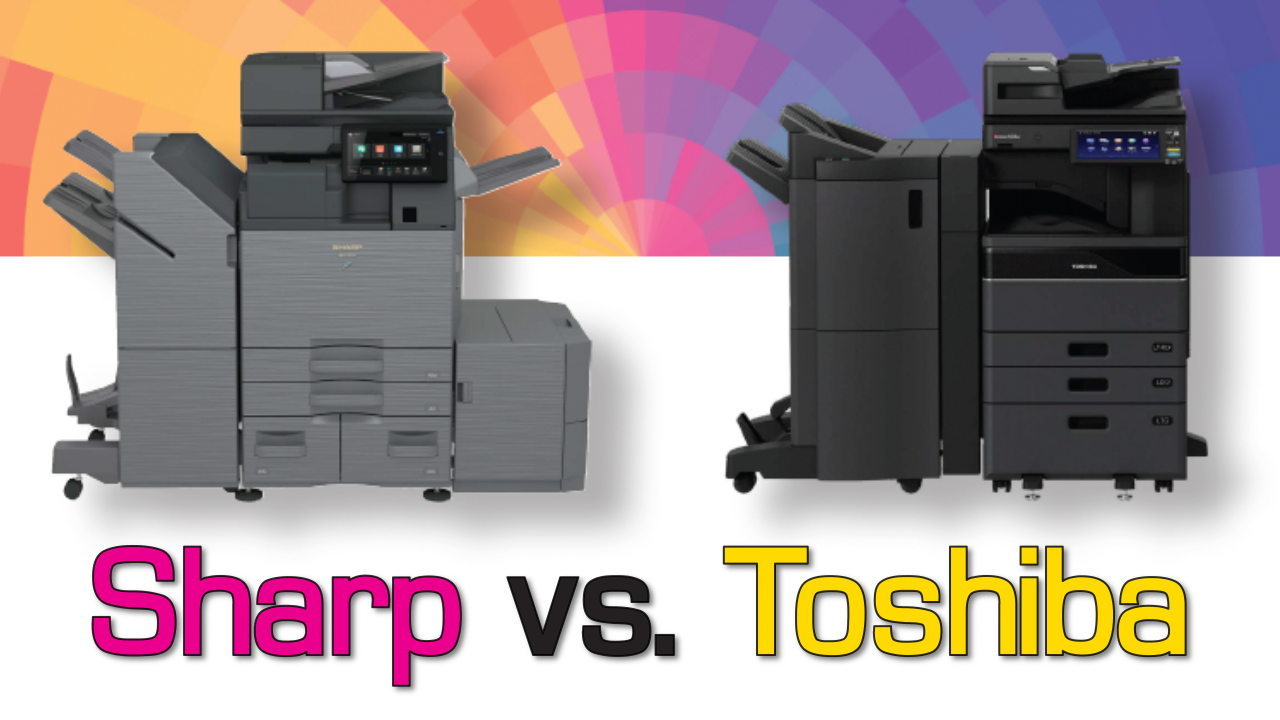
Sharp and Toshiba are two of the most frequently compared brands in the color MFP space, and for good reason — both have solid lineups, strong dealer networks, and long track records in business environments. But when you look past the marketing language and get into actual specs, standard features, and security architecture, a clear picture emerges.
This article walks through three head-to-head matchups from Sharp’s 2026 Competitive Assessment, independently verified by Keypoint Intelligence (Buyers Lab): the BP-71C31 vs. e-STUDIO3025AC, the BP-71C45 vs. e-STUDIO4525AC, and the BP-71C65 vs. e-STUDIO6525AC.
Sharp BP-71C31 vs. Toshiba e-STUDIO3025AC
The entry point of the color workgroup segment. Both machines target small-to-midsize offices with moderate print volumes — but they arrive at that job with very different feature sets.
| Specification | Sharp BP-71C31 | Toshiba e-STUDIO3025AC |
|---|---|---|
| First Copy Out — Color / Black | 7.6 sec / 5.6 sec | 7.8 sec / 5.9 sec |
| Warm-Up Time | 16 sec | 20 sec |
| System Memory / Storage | 5 GB RAM / 256 GB SSD | 4 GB RAM / 128 GB SSD |
| Max Paper Capacity | 6,300 sheets | 5,200 sheets |
| Duplex Scan Speed | 300 ipm color / 300 ipm black | 240 ipm color / 240 ipm black |
| PANTONE Color Matching | Standard Included | Not available |
| Firmware Self Recovery | Standard Included | Not available |
| USB Print of MS Office Files | Standard Included | Not available |
| End-of-Lease Data Erase + Confirmation Report | Full erase + printed report | Erase only — no confirmation report |
| Integrated QWERTY Keyboard | Standard — retractable Included | Add-on purchase required |
| Serverless Print Release | Standard — no server needed Included | Requires additional software |
| Original Reminder Light (DSPF) | Standard Included | Not available at any price |
At this tier, Sharp wins on nearly every measurable spec. The 25% scan speed advantage (300 vs. 240 ipm duplex) is the most operationally significant difference for offices running high scan volumes. The memory and storage gap — 5 GB / 256 GB vs. 4 GB / 128 GB — gives Sharp a meaningful edge for complex print jobs and document workflows. And several features Toshiba simply doesn’t offer at any configuration level, like PANTONE matching and Firmware Self Recovery, are standard on the BP-71C31.
Sharp BP-71C45 vs. Toshiba e-STUDIO4525AC
Step up to the 45 ppm tier and the spec comparison follows a similar pattern — with one exception worth noting honestly.
| Specification | Sharp BP-71C45 | Toshiba e-STUDIO4525AC |
|---|---|---|
| First Copy Out — Color / Black | 6.5 sec / 4.6 sec | 5.7 sec / 4.4 sec Faster |
| Warm-Up Time | 14 sec Faster | 20 sec |
| System Memory / Storage | 5 GB RAM / 256 GB SSD | 4 GB RAM / 128 GB SSD |
| Max Paper Capacity | 6,300 sheets | 5,200 sheets |
| Duplex Scan Speed | 300 ipm color / 300 ipm black | 240 ipm color / 240 ipm black |
| PANTONE Color Matching | Standard Included | Not available |
| Firmware Self Recovery | Standard Included | Not available |
| USB Print of MS Office Files | Standard Included | Not available |
| End-of-Lease Data Erase + Confirmation Report | Full erase + printed report | Erase only — no confirmation report |
| Serverless Print Release | Standard Included | Requires additional software |
The e-STUDIO4525AC posts a faster rated first-copy-out time — 5.7 sec color vs. Sharp’s 6.5 sec. For walk-up copying in a busy environment, that’s a legitimate difference. Sharp more than compensates with a 6-second faster warm-up from sleep (14 vs. 20 sec), but it’s worth knowing this is the one area Toshiba leads at this speed class.
Otherwise, the pattern holds: Sharp’s scan speed advantage remains 25% faster, memory and SSD are double Toshiba’s storage allocation, and the standard feature gap — PANTONE, Firmware Self Recovery, USB Office printing — remains entirely on Sharp’s side.
Sharp BP-71C65 vs. Toshiba e-STUDIO6525AC
High-volume environments — legal, healthcare, accounting, education — live at this tier. The spec differences become more pronounced, and a few new nuances emerge.
| Specification | Sharp BP-71C65 | Toshiba e-STUDIO6525AC |
|---|---|---|
| First Copy Out — Color / Black | 4.8 sec / 3.7 sec | 5.6 sec / 4.3 sec |
| Warm-Up Time | 13 sec | 26 sec |
| System Memory / Storage | 5 GB RAM / 256 GB SSD | 6 GB RAM / 128 GB SSD |
| Max Paper Capacity | 6,300 sheets | 5,200 sheets |
| Duplex Scan Speed | 300 ipm color / 300 ipm black | 240 ipm color / 240 ipm black |
| Double Feed Detection | Standard Included | Add-on — not standard |
| PANTONE Color Matching | Standard Included | Not available |
| Firmware Self Recovery | Standard Included | Not available |
| USB Print of MS Office Files | Standard Included | Not available |
| End-of-Lease Data Erase + Confirmation Report | Full erase + printed report | Erase only — no confirmation report |
| Serverless Print Release | Standard Included | Requires additional software |
The e-STUDIO6525AC ships with 6 GB of RAM versus Sharp’s 5 GB. For most standard office workloads, this won’t be noticeable — but in very large RIP-intensive print environments, higher RAM can help. Sharp compensates with double the SSD storage and better scan throughput, but the RAM spec is Toshiba’s honest win at this tier.
The warm-up gap is most dramatic here: 13 seconds for Sharp vs. 26 seconds for Toshiba — a full 13-second difference that matters when a high-volume machine wakes from sleep throughout the day. Sharp also recovers first-copy-out speed at this tier, posting faster times than the Toshiba (4.8 sec color vs. 5.6 sec).
Features Toshiba Simply Doesn’t Offer
Across all three tiers, several Sharp capabilities have no Toshiba equivalent — not as a standard feature, not as a paid add-on. These aren’t minor differences.
Adobe Embedded Print Engine
Sharp is currently the only workgroup MFP manufacturer offering this. It natively processes PDF and PostScript jobs — including from USB drives and cloud apps — with higher fidelity than standard raster processing. No Toshiba equivalent exists.
PANTONE Color Matching

Standard on every Sharp BP model in this lineup. Provides precise color fidelity to the PANTONE Matching System for corporate branding, proposals, and color-sensitive output. Toshiba offers no equivalent at any price point.
Firmware Self Recovery (BIOS Integrity Check)
If a malware attack corrupts the firmware, Sharp’s machine detects it and restores itself to original state automatically. This is absent on all three Toshiba models compared here.
Original Reminder Light
A simple feature that flashes when originals are left in the feeder after scanning — a small thing that prevents sensitive documents from being forgotten at the machine. Not available on any Toshiba AC model, even as an option.
Walk-Up Motion Sensor
Wakes the machine from sleep as you approach the control panel, so it’s ready when you arrive. Eliminates the friction of manually waking the device before each use.
End-of-Lease Confirmation Report
When the contract ends, Sharp prints a verified report confirming the drive wipe. Toshiba performs the erase but cannot produce the confirmation — a compliance gap for regulated industries.
Security Architecture: A Meaningful Difference
MFPs are networked devices that store, process, and transmit documents. Security architecture matters, and Sharp’s approach is more comprehensive across the board.
“Sharp’s BP Series holds independent security validation from both Keypoint Intelligence and Agile Cybersecurity Systems. No comparable Toshiba model in this lineup carries that designation.”
Sharp’s multi-layered security stack includes Application Allowlisting (blocks unauthorized file system access), Real-time Intrusion Detection, a built-in Trusted Platform Module (TPM) for cryptographic drive protection, Active Directory Group Policy integration, optional Bitdefender Antivirus, and the Firmware Self Recovery discussed above. Sharp Remote Device Manager (SRDM) lets administrators centrally manage security policies and schedule admin password rotations across the fleet.
This matters most in environments with compliance requirements — healthcare (HIPAA), legal (attorney-client confidentiality), financial services, and government contracting. If your MFP vendor needs to check a security validation box, Sharp checks it; Toshiba doesn’t for these models.
AI-Assisted Scanning: Smarter Document Handling
All three Sharp BP models include an expanded Auto Scan feature set powered by AI that automatically handles settings users would otherwise configure manually:
Document size and orientation are detected automatically. Skewed originals are detected and corrected across multiple file formats. Compression ratios are selected dynamically based on the content of the original to minimize file size without sacrificing quality. Color mode — mono, grayscale, full color, reduced color — is selected automatically based on the document being scanned.
For high-volume scan environments or organizations with varied document types, this reduces setup time, minimizes user error, and speeds throughput. The 300 ipm duplex speed already leads Toshiba’s 240 ipm by 25% — the AI scan layer makes the effective productivity gap wider still.
Sharp leads on specs across all three tiers — with two honest exceptions
Across the 31, 45, and 65 ppm matchups, Sharp’s BP Color Advanced Series posts faster scan speeds, more memory and storage, higher paper capacity, faster warm-up times, and a longer list of standard features — including several capabilities Toshiba doesn’t offer at any price.
The two honest concessions: Toshiba’s e-STUDIO4525AC has a faster rated first-copy-out time at the 45 ppm tier, and the e-STUDIO6525AC ships with more RAM at the 65 ppm tier. Neither is a deal-breaker for typical office workflows, but they’re worth knowing.
If your evaluation is spec-driven, the data consistently favors Sharp.
Go All-In With Platinum Copier Solutions
Ready to transform the way your office works? Platinum Copier Solutions delivers industry-leading Sharp copiers, printers, and workflow technology backed by expert local service and support. Whether you’re looking to streamline document management, enhance security, or reduce costs, our team will tailor the right solution for your business. Don’t settle for off-the-shelf equipment—partner with Platinum Copier Solutions and experience the difference of a trusted technology provider.
Contact us today to schedule your consultation and discover how we can help your business work smarter.





Collin has been in the office technology space for over 20 years. Taking the journey from warehouse helper, to delivery driver, to IT consultant, to sales – he has run the full spectrum of the industry and retained all of the knowledge along the way to tackle any task.