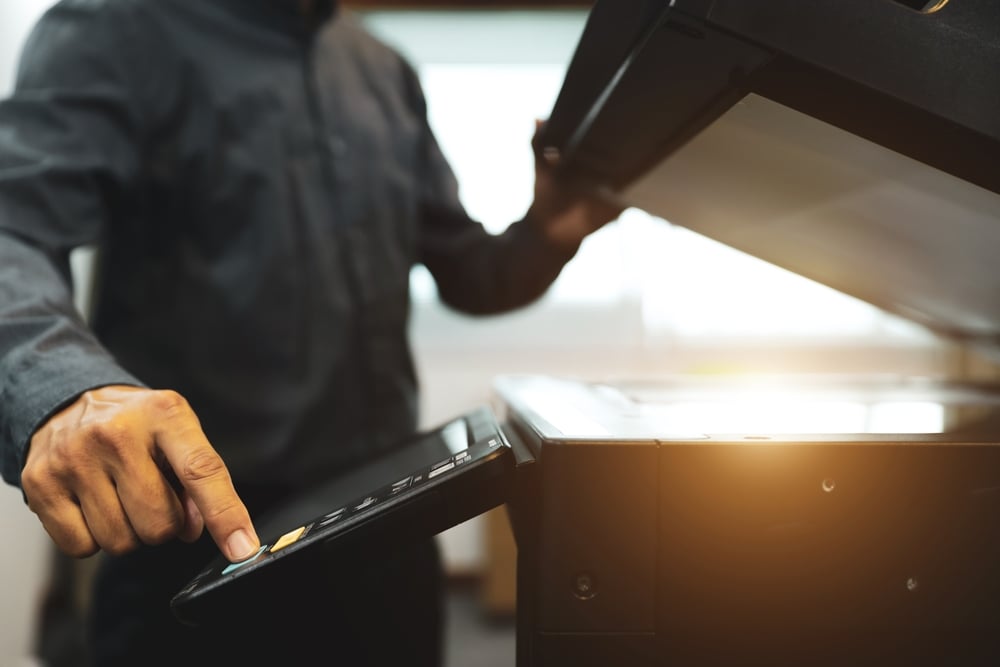

Paper documents and image-only PDF files can make it difficult to quickly find the information employees need. A searchable PDF solves this problem by allowing users to search for words and phrases within a document, making digital files easier to navigate and manage. For businesses handling contracts, invoices, forms, records, and other paperwork, searchable documents can save time and simplify everyday workflows.
When scanned documents are stored only as images, employees may have to manually read through each page to locate specific information. Optical character recognition (OCR) technology can convert the text within a scanned document into machine-readable content, allowing that information to be searched, copied, and sometimes edited.
Understanding how searchable PDFs work can help businesses get more value from their document management systems. In this guide, we’ll explain what makes a PDF searchable, how OCR supports the process, and why searchable digital documents can be useful for businesses.
Key Takeaways
- Searchable PDFs let users quickly find words and phrases
- OCR converts scanned text into searchable digital content
- Searchable files make document retrieval faster
- Businesses can use searchable PDFs for records, invoices, and contracts
- Proper scanning and OCR improve document accuracy and usability
What Is a Searchable PDF?
A searchable PDF is a digital document that contains a text layer, allowing users to find, highlight, and copy specific words or phrases. Unlike an image-only PDF, which stores each page as a static image, a searchable PDF uses OCR to make the text within scanned pages recognizable to software. This makes documents easier to navigate and access, particularly when businesses need to quickly locate information in invoices, contracts, forms, records, and other files.
| PDF Type | How It Works | User Benefits |
| Image-Only PDF | Stores scanned pages as static images without a searchable text layer | Users can view and print the document but generally cannot search or select the text |
| Searchable PDF | Contains a text layer that allows software to recognize the words within the document | Users can search, highlight, copy, and locate specific information more quickly |
| Scanned and OCR-Processed PDF | Uses OCR technology to identify text within scanned images and add searchable information | Makes paper documents easier to organize, retrieve, and use digitally |
How Does OCR Make a PDF Searchable?
Optical character recognition (OCR) is a technology that identifies text within scanned document images and converts it into machine-readable content. When a scanner captures a document, OCR analyzes the letters, numbers, and words within the image and creates a text layer that can be added to the PDF. This allows users to search for and select text without changing the original appearance of the scanned document.
OCR accuracy can depend on the quality and condition of the original document. Clear, high-resolution scans with standard fonts are generally easier for OCR software to recognize, while blurry images, handwritten text, unusual fonts, damaged pages, or complex layouts can result in recognition errors. Reviewing important documents after OCR processing can help ensure the searchable text accurately reflects the original content.
What Are the Benefits of Searchable PDFs for Businesses?
Searchable PDFs can make everyday document management faster and more convenient for businesses. Instead of manually reviewing pages or sorting through paper files, employees can quickly locate specific information within digital documents. This can improve organization, simplify collaboration, and give employees more time to focus on other important responsibilities. Businesses can benefit from searchable PDFs in several ways:
- Faster document retrieval: Quickly search for specific words, names, dates, or phrases within digital files.
- Less manual review: Reduce the time employees spend searching through lengthy documents page by page.
- Easier information sharing: Share digital documents with colleagues while maintaining searchable text for easier reference.
- Improved organization: Keep digital records easier to categorize, index, and retrieve when needed.
- Greater productivity: Help employees access the information they need without spending unnecessary time searching for documents.
Which Business Documents Should Be Converted to Searchable PDFs?
Businesses can benefit from converting many types of frequently used paper documents into searchable PDFs. Prioritizing documents that employees regularly access, share, or reference can make digital document management more efficient and reduce the time spent searching through physical files. The right documents to convert will depend on your business needs, document volume, and how often specific information needs to be retrieved.
| Document Type | Why Make It Searchable? |
| Invoices and Receipts | Makes it easier to locate transaction details, payment information, dates, and other financial records |
| Contracts and Agreements | Allows employees to quickly search for specific terms, clauses, names, dates, and other important details |
| Employee and HR Records | Helps authorized staff locate employee information without manually reviewing multiple pages or files |
| Customer Documents and Forms | Makes customer information and submitted forms easier to find, review, and share when needed |
| Project Files and Business Records | Helps teams quickly locate project details, correspondence, reports, and other important records |
| Frequently Accessed Documents | Prioritizing regularly used files can provide greater time savings and make commonly needed information easier to retrieve |
How Can Businesses Create Better Searchable PDFs?
Creating high-quality searchable PDFs starts with consistent scanning and document management practices. Businesses should focus on producing clear digital files, organizing them in a way that makes information easy to locate, and protecting documents throughout their lifecycle. Establishing these practices can improve the accuracy, usability, and long-term value of searchable digital documents. To create more effective searchable PDFs, businesses should:
- Use clear, high-resolution scans: Start with quality source images to help produce readable and accurate digital documents.
- Use consistent file names and folders: Establish naming conventions and organized folder structures so employees can quickly locate files.
- Review OCR results: Check important documents for recognition errors and correct inaccurate text when necessary.
- Apply security controls: Use appropriate access permissions and security measures to protect sensitive digital documents.
- Establish retention procedures: Determine how long different documents should be stored and when they should be securely disposed of.
- Use professional scanning equipment: Consider higher-capacity scanning equipment when processing large volumes of documents to improve efficiency and consistency.
Searchable PDF Questions
Can a searchable PDF be edited?
A searchable PDF can contain selectable text, but whether that text can be directly edited depends on the software and permissions associated with the file. Some PDF applications allow users to edit recognized text, while others primarily use the text layer for searching and copying.
Can OCR recognize handwriting in a searchable PDF?
OCR works best with clear, machine-printed text. Handwriting can be more difficult to recognize accurately, although some advanced OCR systems are designed to interpret certain types of handwritten content.
Does making a PDF searchable change the original document?
Adding an OCR text layer generally preserves the original scanned image while adding machine-readable text behind it. This allows the document to remain visually similar to the original while becoming searchable.
Are searchable PDFs accessible on mobile devices?
Yes. Searchable PDFs can generally be opened and searched on smartphones and tablets when using compatible PDF applications. The specific features available can vary depending on the device and software being used.
How accurate is OCR when converting scanned documents?
OCR accuracy depends on factors such as scan resolution, document quality, font style, layout, and whether the original contains handwriting or other difficult-to-read content. Reviewing important documents after OCR processing can help identify and correct recognition errors.
Make Digital Documents Easier to Search and Manage
Understanding what a searchable PDF is can help businesses make better use of their digital documents. By using OCR to turn scanned text into searchable content, businesses can locate information more quickly, simplify document retrieval, and improve everyday workflows. Searchable PDFs can be particularly useful for organizations that manage large volumes of invoices, contracts, forms, records, and other business documents.
As a Houston-based office technology provider, we provide customized solutions designed to help businesses improve document management and office efficiency. From scanning equipment to document workflow solutions, our team can help you identify technology that supports the way your business handles, stores, and accesses information.
If you’re ready to make your digital documents easier to manage and search, request a quote today to learn how Platinum Copier Solutions can help your business improve document workflows and get more value from its office technology.

Kimberly Gonzalez founded Platinum Copier Solutions in 2007 after building her career in the copier and office equipment industry, which began at just 19 years old, selling Xerox copiers. Her early hands-on experience sparked a lifelong passion for document systems and office technology, ultimately inspiring her to launch her own company. As the 100 percent owner, Kimberly continues to lead Platinum Copier Solutions with a clear vision and commitment to quality.